Laminar automatically detects and stores image data sent to vision-capable models across supported integrations.
  • Captures both Base64 data URLs and image URLs
  • Works transparently in the background (no tracing-specific code required)
  • Renders images inline in the trace view so you can debug multimodal runs

OpenAI Example (Base64 Image)

import OpenAI from 'openai';
import fs from 'node:fs';
import { Laminar, observe } from '@lmnr-ai/lmnr';

Laminar.initialize({
  projectApiKey: process.env.LMNR_PROJECT_API_KEY,
  instrumentModules: { OpenAI },
});

const openai = new OpenAI({ apiKey: process.env.OPENAI_API_KEY });

const analyzeImage = (imagePath: string, userQuestion: string) =>
  observe({ name: 'analyzeImage' }, async () => {
    const base64 = fs.readFileSync(imagePath).toString('base64');

    const response = await openai.chat.completions.create({
      model: 'gpt-4o',
      messages: [
        {
          role: 'user',
          content: [
            { type: 'text', text: userQuestion },
            {
              type: 'image_url',
              image_url: { url: `data:image/jpeg;base64,${base64}` },
            },
          ],
        },
      ],
      max_tokens: 500,
    });

    return response.choices[0].message.content;
  });

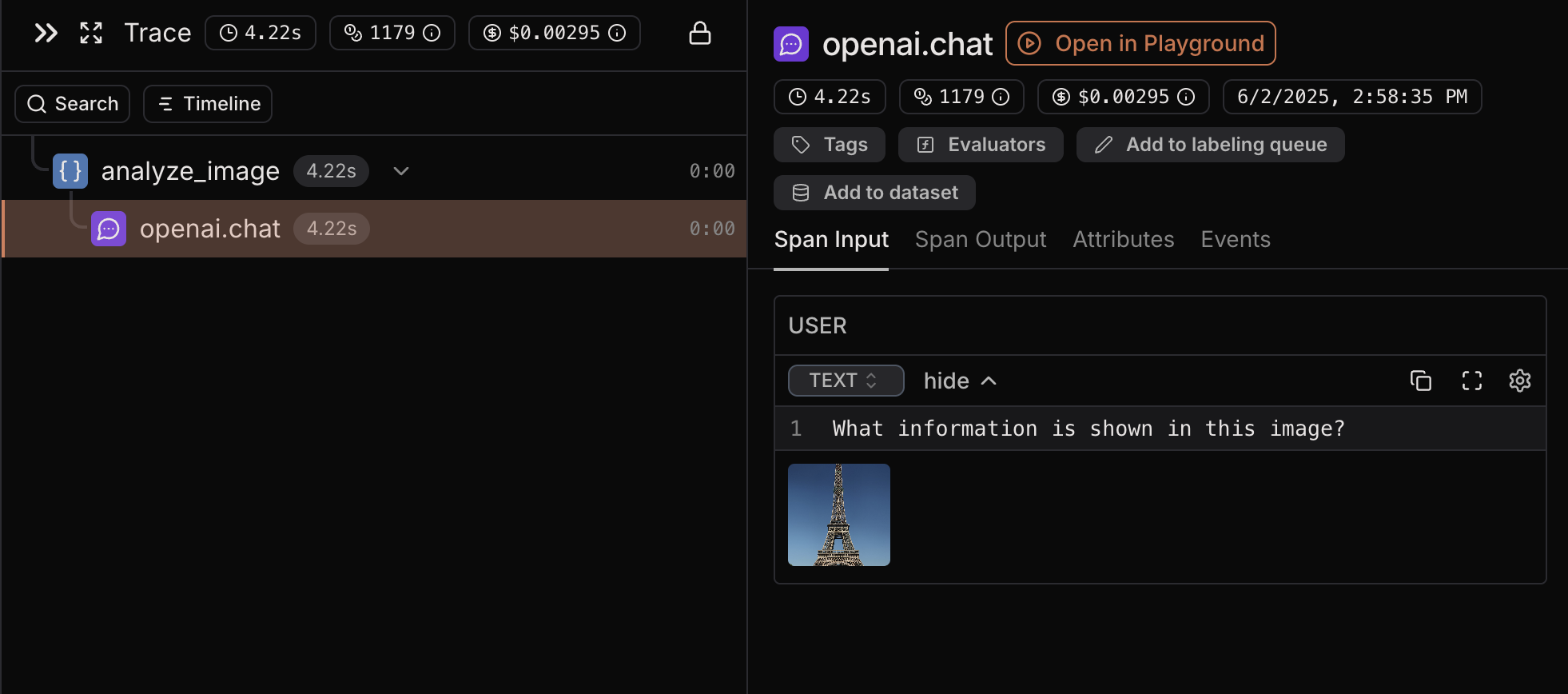
Image URLs

If you reference an image by URL instead of uploading it, Laminar traces the URL and associates it with the LLM call (no extra tracing code needed).

OpenAI Example (Image URL)

import OpenAI from 'openai';
import { observe } from '@lmnr-ai/lmnr';

const openai = new OpenAI({ apiKey: process.env.OPENAI_API_KEY });

const analyzeWebImage = (imageUrl: string, analysisPrompt: string) =>
  observe({ name: 'analyzeWebImage' }, async () => {
    const response = await openai.chat.completions.create({
      model: 'gpt-4o',
      messages: [
        {
          role: 'user',
          content: [
            { type: 'text', text: analysisPrompt },
            { type: 'image_url', image_url: { url: imageUrl, detail: 'high' } },
          ],
        },
      ],
    });

    return response.choices[0].message.content;
  });

Viewing Images in Laminar Platform

When you send images to LLM models, Laminar renders them in the trace view: Trace view showing an image input In the Laminar platform, you can:
  • View the actual images that were sent to the model
  • Click on the image to view it in a larger view
  • Correlate images with model responses for debugging
  • Track image usage across different traces and sessions

Supported Integrations

Start here: